You’re in for the workshop. Smart move.

Upgrade to VIP: The Tools That Keep It Organized

The workshop builds your system.
The $25 VIP kit is how it’s still standing in six months.

Yes, Upgrade Me for $25

One payment. Instant access.
Yours forever, no subscription.

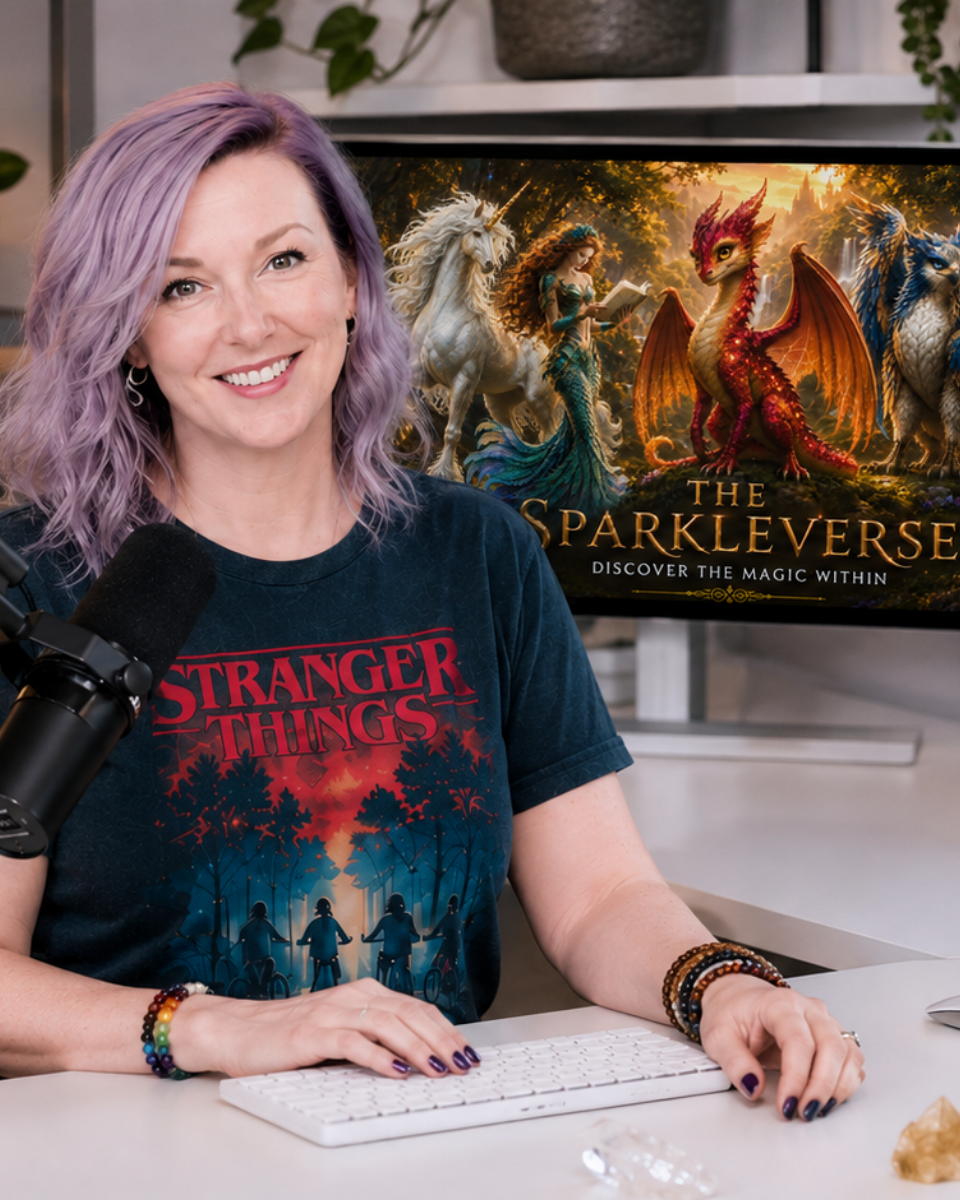
Crystal Berg at her desk

Straight With You

The Free Workshop Is Complete. This Is the Maintenance Crew.

The free workshop holds nothing back. You will organize your Canva and it will work. I am not saving the good stuff for the paid tier.

But every single time I ran it, the same questions came in afterward. What is the spreadsheet you use to track templates? Can I see your setup again? How do you make it STAY organized?

So I packaged my actual tools, the ones open on my second monitor right now, and added the two workshops people kept asking me to teach.

The workshop shows you HOW. The kit hands you the tools to maintain it forever.

The Kit

What’s Inside

$25 once. Instant access to everything below.

📋

The Template Tracker

$25 value

The exact Google Sheet I use to log every template with a direct link. Open the sheet, click the link, you are inside the design. Zero searching. Use it during the workshop to log templates as you organize, which is precisely when logging is effortless.

✅

The Design Time-Saver Checklist

$15 value

My efficiency checklist that cuts design time in half. Print it, bookmark it, run it every time you create something.

🎥

Behind-the-Scenes Setup Video

$20 value

Twenty minutes inside MY actual Canva. Folders, naming, workflows, all of it. This is the refresher you will want in month two when you cannot remember exactly how you set something up.

🎁

Bonus: Workbook Wizard Workshop + Template

$47 value

My complete process for building workbooks and lead magnets in Canva and Google Docs. If you create any PDF content at all, this one alone outvalues the whole kit.

🎁

Bonus: The AI-Powered Time Witch Workshop

$197 value

My system for using AI to outline, draft, and design products in a fraction of the time, without the perfectionism spiral. Outline a workbook in minutes. Get a first draft without staring at a blank page.

$304 worth of tools and training for $25.

Side by Side

Workshop-Only vs. VIP

The free workshop gets you organized on day one. The difference shows up on day thirty, when you create something new and either have a tracker that catches it, or a fresh Untitled Design.

Free Workshop Only

  • You organize your Canva during the hour and walk out with folders and a system.
  • Two weeks later you make something new and forget where it goes.
  • Or you forget to rename it.
  • Or you slowly drift back to chaos, because you have the system but not the tools that hold it in place.

Free Workshop + VIP Kit

  • You organize your Canva during the hour, same as everyone.
  • Plus you log every template in the Tracker as you organize, so nothing gets lost on the way in.
  • Plus the Design Checklist is open beside you, so every efficiency shortcut is right there in real time.
  • Plus the behind-the-scenes video is waiting for the day you cannot remember how you set something up.
  • Plus the Workbook Wizard system, so your new organization actually gets used to make things.
  • Plus my full AI workflow for building products in a fraction of the time.

You do not just organize. You build the thing and keep the tools that hold it up.

Receipts

What People Say

“
The Workbook Wizard Workshop alone was worth more than $25! I create lead magnets all the time, and that training cut my creation time from 4 hours to 90 minutes! Plus the Template Tracker and Checklist? Total no-brainer.
M MarciaMarketing Consultant
“
I bought the VIP Pass thinking ‘maybe this will help.’ It didn’t just help, it’s the REASON my Canva is still organized two months later. The tracker makes logging templates so easy, and the checklist reminds me of all the efficiency shortcuts. Worth every penny!
J Jenna R.Virtual Assistant
“
Crystal’s Template Tracker is THE tool that keeps me organized. I log every template, and now I can find anything in 5 seconds. Best $25 I’ve spent this year!
S Sarah M.Business Coach
“
The behind-the-scenes video was perfect for rewatching when I couldn’t remember exactly how to set up my folder system. I watched it twice, now my Canva looks just like Crystals.
T Taylor BSocial Media Manager

Fit Check

Perfect For You / Not For You

✓ This is for you if

  • You are serious about staying organized, not organizing once and hoping it sticks
  • You want the tools I actually use instead of building your own from scratch
  • You create lead magnets, workbooks, or PDFs and want a faster process for making them
  • You like having a checklist to reference instead of trying to remember everything
  • You want to follow along during the workshop without playing catch-up
  • If the tracker saves you one hour ever, the kit paid for itself. It will save you one hour by Thursday.

✕ Skip it if

  • You are not going to watch the workshop. This enhances it, it does not replace it.
  • You buy resources and never open them. You know if this is you.
  • You never create workbooks, lead magnets, or PDFs, so two of the five pieces are wasted on you
  • You are genuinely happy winging it without systems or checklists. Some people are. The free workshop is plenty.
  • You are expecting this to organize your Canva for you. It hands you tools. You still have to use them.

The Honest Objection

“Can’t I Just Build My Own Tracker?”

You could. Will you?

Most people say they will, and then they don’t, and I know this because they email me later asking for mine.

It is already built, already formatted, and one make-a-copy away.

Some wheels do not need reinventing.

Ready for the Easy Button?

Upgrade to VIP

$25 once · instant access · yours forever

For less than a stock template bundle you would use twice:

  • Template Tracker that saves you hours of searching
  • Design Checklist that cuts creation time in half
  • Behind-the-scenes video of my actual Canva, for reference anytime
  • Workbook Wizard workshop and template
  • The AI-Powered Time Witch workshop
Upgrade to VIP for $25

No subscription. No recurring charge. The Tracker does not expire, the Checklist does not stop working, and the videos are yours to rewatch whenever.

Crystal Berg

Questions

Have Questions?

Immediately. You will get an email with links to everything the moment you check out. Nothing is delivered later, nothing waits on a date.

Yes, and that is on purpose. The kit is built to enhance the workshop, not replace it. The Template Tracker makes the most sense when you are actively organizing, which is what the workshop walks you through. If you have not registered yet, grab the free workshop first.

Any time. Before you watch, halfway through, or two weeks after. Your tools will be sitting there waiting.

Yes. $25 once, access forever. No subscription, no recurring charge, nothing to cancel later.

Yes. Nothing in the kit requires Canva Pro. The Tracker is a Google Sheet, the Checklist is a document, and the workflows all work on the free plan.

You could. Most people say they will and then don’t, which is how I know, because they email me later asking for mine. It is already built and one make-a-copy away.

The Template Tracker, Design Checklist, and setup video are worth the $25 on their own. The bonuses are bonuses. If you never open them you still came out ahead.

The Template Tracker and Checklist, yes. The bonus workshops are for your personal use, not for redistribution. If you want a second copy for a team member, email magichappens@unicornmojo.com and I will send you a link for $10.

No. Everything is delivered instantly and digitally, so there is nothing to return. Read the Skip It list above before you buy and be honest with yourself about which column you are in.

That’s all of them. Go grab your tools.

Upgrade to VIP for $25

©2026 Unicorn Mojo™ | Crystal Berg, Your Inner Unicorn, LLC
Terms | Privacy | Disclaimer

Scroll to Top
Get an Email Update Once My Offer is Live

Enter Your Name and Email Below, and I’ll Let You Know as Soon as You Can Access My Offer.

Get an Email Update Once My Offer is Live

Enter Your Name and Email Below, and I’ll Let You Know as Soon as You Can Access My Offer.

Get an Email Update Once My Offer is Live

Enter Your Name and Email Below, and I’ll Let You Know as Soon as You Can Access My Offer.

Get an Email Update Once My Offer is Live

Enter Your Name and Email Below, and I’ll Let You Know as Soon as You Can Access My Offer.

Get an Email Update Once My Offer is Live

Enter Your Name and Email Below, and I’ll Let You Know as Soon as You Can Access My Offer.

Get an Email Update Once My Offer is Live

Enter Your Name and Email Below, and I’ll Let You Know as Soon as You Can Access My Offer.

Get an Email Update Once My Offer is Live

Enter Your Name and Email Below, and I’ll Let You Know as Soon as You Can Access My Offer.

Get an Email Update Once My Offer is Live

Enter Your Name and Email Below, and I’ll Let You Know as Soon as You Can Access My Offer.

Skip to content